A look inside
Four of the screens you'll open most.
Real screens from the app on a phone — no mockups. Install it from the browser and this is what you get.
Early access 30 days free · Community-built
Your lifts, your food, your weigh-ins and your progress photos in one honest picture — with the next step already decided. Try it free for 30 days. It's unfinished on purpose: what gets built next is what members ask for.
Private. Your data only.
Cancel anytime before day 30 and pay nothing. Log in if you already have an account.
The real reason people stop
You've logged before. A weight in one app, a meal in another, a workout in your notes, a photo buried in your camera roll from March. The data piled up and told you nothing, so eventually you stopped feeding it.
Nobody walks away from the gym because they hate training. They walk away because eight weeks in, nothing on their phone can prove it worked.
That's not a discipline failure. It's a design failure — everything you recorded went into a different box, and no box ever answered a question. These three, specifically:
Form you can check against a real demonstration — including footage of yourself.
Weight, body composition, resting heart rate, sleep and photographs, on one timeline.
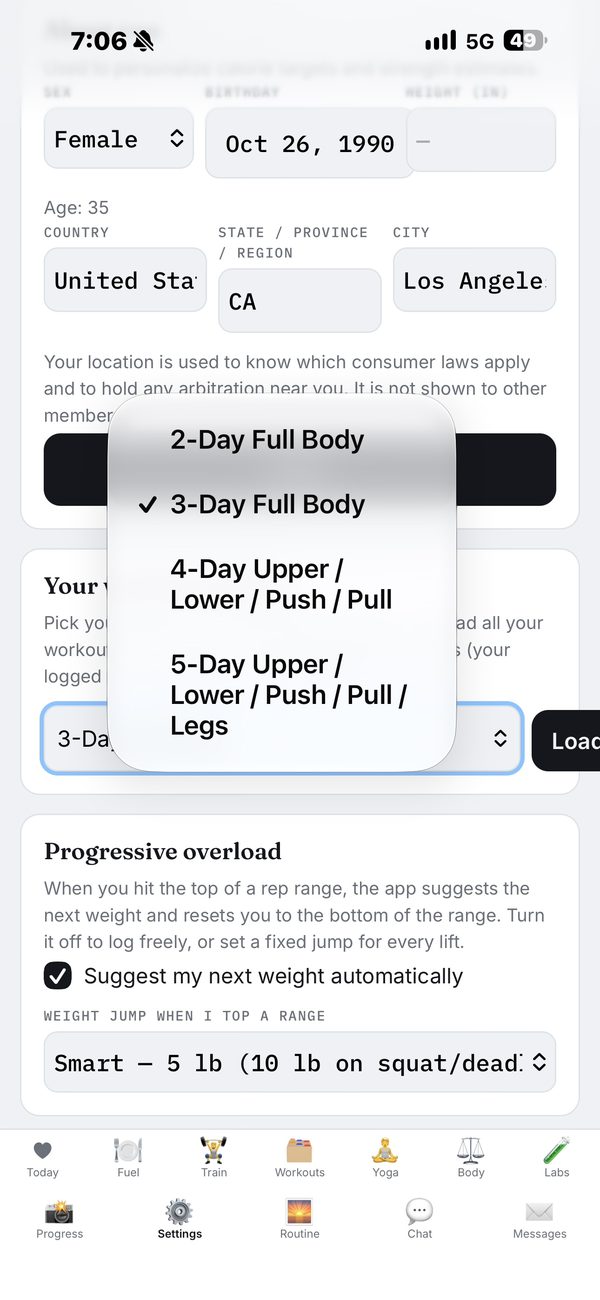
Pick a 3-, 4- or 5-day schedule once, and from then on the next weight, the next rep, and this week's one change are already decided when you open the app.
What it actually does
Not a step counter and not a spreadsheet. Every part of this feeds the same record of one person: you.
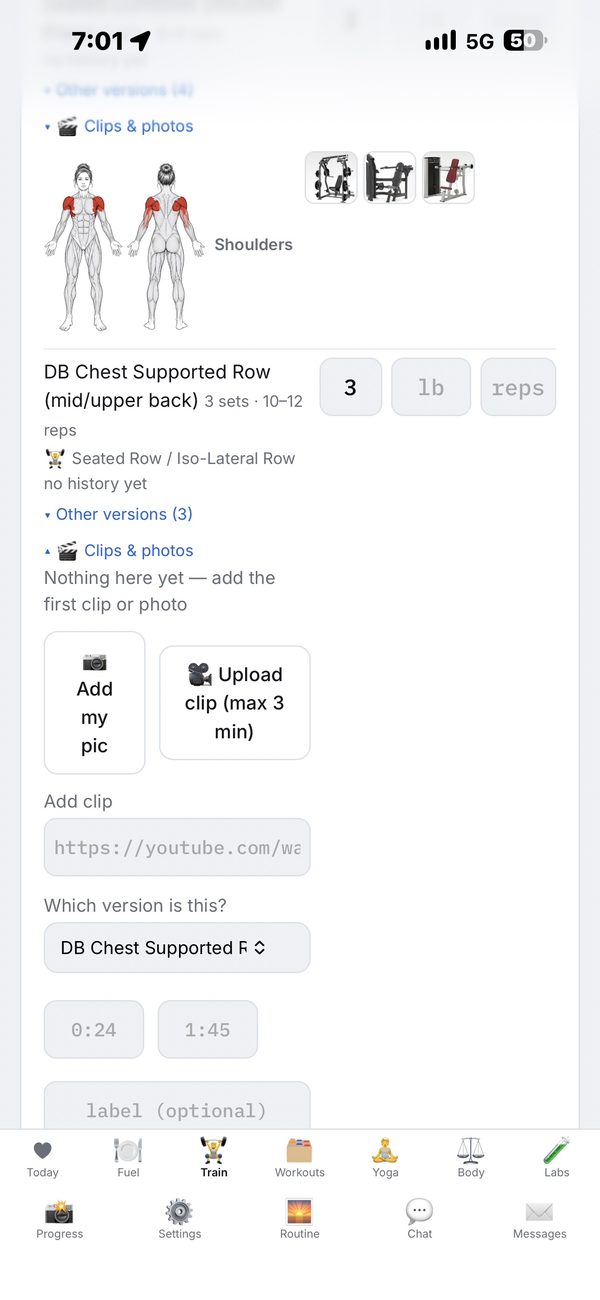
Open the Train tab and today's session is waiting — exercises, sets and rep ranges. Log each set as you go; it saves itself between sets, even when the gym Wi-Fi drops. Prefer your own coach? Your routine can also be set up by hand — the exact exercises, order, reps and weights your personal trainer gives you.
Hit the top of your rep range and the app adds load and resets you to the bottom. Miss it and it holds the weight and asks for one more rep. You never re-plan a session.
Film a set on your phone and attach it to that exercise — then share it so every member can learn from it. Browse the built-in tutorials plus the clips and photos other members shared for that same exercise, and line them up against your own clip from six weeks ago. This is a community-driven app: a clean shot of the machine at your gym helps the next member know exactly where to go.
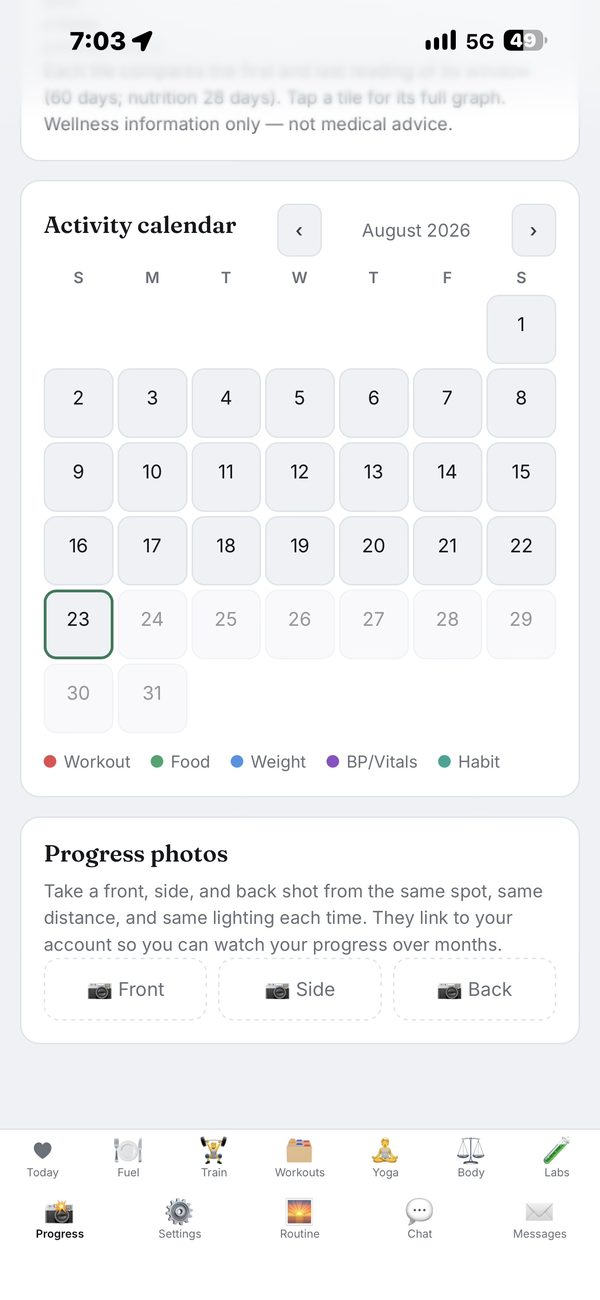
Front, side and back, kept private and lined up by date. This is the one that gets people — the mirror lies day to day, the timeline doesn't.
Type it in or let a Withings smart scale sync it automatically. You get the trend, body-fat percentage, muscle mass and visceral fat — not yesterday's number pretending to be information. Android Health Connect sync is coming next, so anything that writes there will feed the same picture — and you can point your own advanced AI, like Anthropic's Opus, at all of it for a deeper read.
Search a USDA-backed database, or photograph the plate and let AI estimate the macros (on your own key). Calories, protein, carbs and fat land against the day's target.
Your intake target is recalculated from your real weight trend and your real logged food — so a stall gets corrected in days, not blamed on you.
Resting heart rate, HRV, sleep, readiness and blood pressure, each against your own rolling baseline. Connect an Oura ring or a Withings scale, or enter it by hand.
Every number is computed first, in plain code, from your last two weeks of food, weigh-ins and sets. Only then does AI put it in a sentence: what's working, and the single most important change for next week. It runs on your own AI key — and you can tell your provider never to train on your data.
A look inside
Real screens from the app on a phone — no mockups. Install it from the browser and this is what you get.
Your AI, your key
There is no AI included with the account and no shared key behind this app. Every AI feature runs on your own API key, added in Settings — your provider, your account, your bill, your choice of model, nothing metered by me. Keys take a couple of minutes to create, they start free or close to it, and most people spend a couple of dollars a month.
Put a spending limit on the key before you paste it in. Every provider lets you cap a key or its project — a budget of about $20 a month is far more than normal use needs. This app is early access and built by one person, so treat it that way: a bug on my side should never be able to run up a bill on your account. With a cap set, the worst case is that AI pauses until you raise it.
Any of these models, switchable from Settings:
Paste a key and the app runs on any of these:
Precisely what that means: your key powers the chat, the photo→macros estimate, reading an uploaded lab PDF or schedule, the bloodwork comparison and the coach summary — on Claude, Gemini or OpenAI alike. One difference worth knowing: the chat can write back into your notes and memory only on Claude, because that uses Claude's tool calling. On every other provider the chat reads your numbers but doesn't write. The app runs perfectly well with no AI and no key at all — the training, nutrition logging, photos, weigh-ins and heart tracking all work on their own. What you give up without a key is the AI layer on top: the analysis of your own data and the personalised feedback can't be done.
AI is advancing — upgrading itself faster than any of us can quite keep up with. This app is the platform to point that power at one person: you. It's time to see how AI can upgrade you.
How it works on you
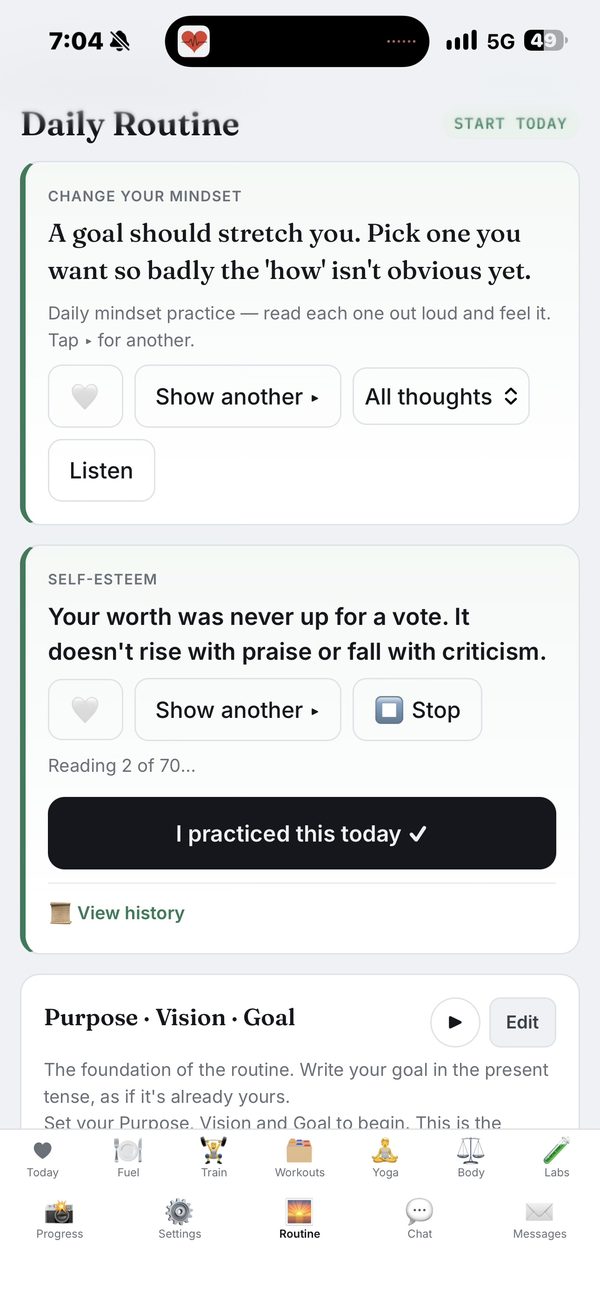
Deciding is the expensive part. When the session, the load and the rep target are already on screen, showing up costs almost nothing.
In the app: written programs, per-set logging, and a weight suggestion built from your own last performance.Confidence isn't a mood you talk yourself into. It's a conclusion you draw from evidence — so the evidence has to be visible.
In the app: a 60-day progress report across weight, body composition, blood pressure and sleep, plus your own personal photo timeline.A plan that can't respond to you is just a printout. Yours is re-derived from what you actually did this week.
In the app: adaptive calorie targets, progressive overload from your logs, and a weekly read on which muscle groups you're under-training.What changes
Ours, not mine
That's the deal, and it's the whole reason it costs so little. This app is community-based and community-driven: I'm one person building it, and what gets built next comes from the people using it. So joining isn't just taking an account — here's what I'm asking of you.
I'll do my best to build what you ask for — ours, not mine. You don't just use this app, you join it.
Following along, or want to tell me what to code without signing up? @aiupgrademe on Instagram.
Privacy
This app was built for one household before it was ever opened to the world, in an effort to create a community — and it still protects you like that. The Train tab, the alternate-program tabs, My Clips and the message board are public to all members. Every other screen you see is scoped to your account and nobody else's.
What it costs
Every feature is open from the day you sign up. After 30 days it's $4.99 a month — billed through Google Play in the Android app, or by card on the website. Cancel before day 30 and you pay nothing. Members who joined while the app was free stay free.
The one thing that isn't included is AI. Those features need your own API key, added in Settings — I don't hand out access to mine. You pay your provider directly, you pick the model, and nothing about it is capped by me. Set a spending limit on the key while you're there.
No ads, ever. Cancel any time: in Google Play → Payments & subscriptions on Android, or in Settings → Subscription on the website. You keep access until the end of the month you paid for.
On Android, get it on Google Play. On iPhone, install it straight from the browser. Full terms are in the disclosures. Questions? Email AIupgradeMe@gmail.com.
Donations
Donations are appreciated and go straight into build time, updates and what it costs to keep this running — the domain, the servers and the hours that go into the next thing somebody asked for.
Donating buys you nothing. No extra features, no higher limits, no badge. You already have everything the app does.